If you’ve been wondering whether Google Ads is worth it for your business, you’re not alone. I’ve been running paid search campaigns for over 20 years out of San Diego, and I can tell you one thing with certainty: Google Ads still delivers some of the highest-intent traffic available anywhere online. When someone types “emergency plumber near me” or “best med spa in San Diego,” they’re ready to buy. Your job is to show up.
This guide is built for business owners and marketers who are just getting started — no agency retainer required to follow along.
What Is Google Ads and How Does It Work?
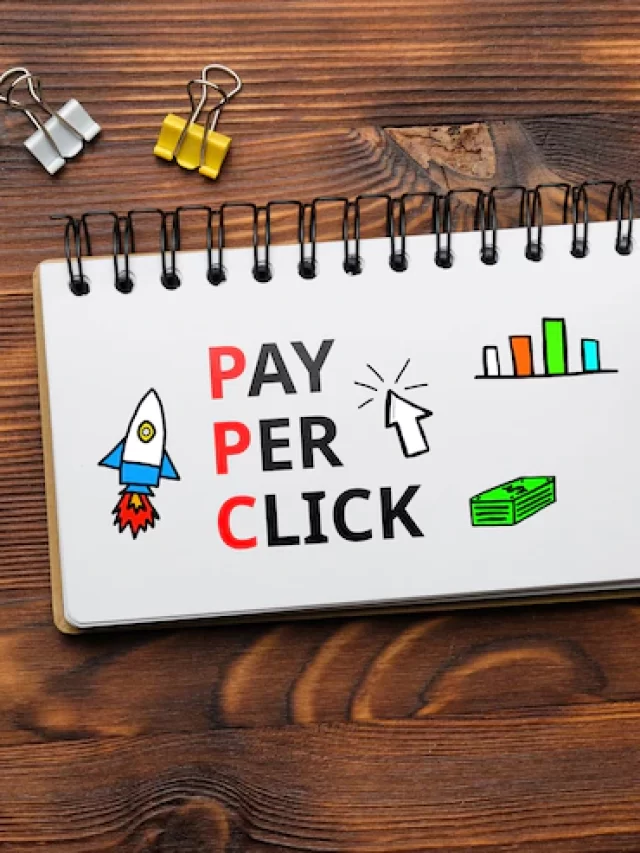
Google Ads (formerly Google AdWords) is an auction-based advertising platform where you bid to show ads in Google search results, on YouTube, across the Display Network, and more. You pay when someone clicks — that’s why it’s called Pay-Per-Click (PPC).
The core engine is simple:
- You choose keywords — the search terms you want to trigger your ads
- You write ad copy — headlines and descriptions that appear in results
- You set a bid — the maximum you’ll pay per click
- Google runs an auction every single search to decide who shows and in what position
Your ad position isn’t just about who bids the most. Google uses Ad Rank, which factors in your bid, your Quality Score, and the expected impact of your ad extensions.
Campaign Types in 2026
| Campaign Type | Best For | Beginner Friendly? |
|---|---|---|
| Search | High-intent buyers actively searching | Yes |
| Display | Brand awareness, retargeting | Moderate |
| Shopping | Ecommerce product ads | Moderate |
| Performance Max | All channels, AI-driven | With caution |
| YouTube | Video awareness and action | Moderate |
Keyword Research: The Foundation
Before you spend a dollar, understand keyword intent. I break keywords into three buckets:
1. Exact Intent Keywords
These are your gold. “Google Ads agency San Diego” or “med spa botox near me” — the person is ready to convert. Bid aggressively here.
2. Research Intent Keywords
“How does Google Ads work” — informational, lower conversion rate. Use these for content, not your main campaigns.
3. Competitor Keywords
Bidding on competitor names can work, but watch your Quality Scores — they’ll be lower since your landing page won’t match well.
Use Google Keyword Planner (free inside your Ads account) to find search volumes and CPC estimates.
Match Types Explained
- Broad Match — Google’s AI decides what’s related. Wide reach, less control. Use carefully.
- Phrase Match — Your keyword phrase must appear in the search query. Good balance of reach and relevance.
- [Exact Match] — The query must closely match your keyword. Highest intent, lowest reach.
For beginners, start with phrase match and exact match. Avoid broad match until you understand your search term reports.
Setting Your Budget
One of the most common questions I get from clients: how much should I spend? The short answer: start with enough to get at least 30-50 clicks per day on your target keywords. Anything less and you won’t have enough data to optimize. I cover this in depth in my Google Ads budget guide for small businesses.
Writing Your First Ad
Google Search ads use Responsive Search Ads (RSAs). You write up to 15 headlines (30 characters each) and 4 descriptions (90 characters each). Google mixes and matches to find the best performing combinations.
- Include your keyword in at least one headline
- Lead with a benefit, not a feature
- Use numbers: “Free Quote in 24 Hours” beats “Quick Response”
- Add a strong CTA: “Call Now,” “Get a Free Audit,” “Book Today”
- Mirror the language on your landing page for better Quality Score
Landing Pages: Don’t Skip This Step
Sending traffic to your homepage is one of the most expensive mistakes beginners make. Your landing page should match your ad’s promise exactly. I break down the 12 landing page elements that drive conversions in a separate post. Read it before you launch.
Conversion Tracking: Non-Negotiable
Before your first campaign goes live, set up website conversions (form fills, bookings), phone call tracking, and GA4 imports. Without conversion tracking, you’re flying blind. Google’s Smart Bidding strategies require conversion data to function properly. I’ve seen accounts waste thousands per month simply because no conversions were being recorded.
Your First 30 Days: What to Watch
- Impressions — Are your ads showing up?
- CTR — Industry average is 3-5% for search. Lower means your copy needs work.
- Average CPC — Is it within your target?
- Quality Score — Target 7/10 or higher for core keywords
- Search Terms Report — Add irrelevant terms as negatives weekly
- Conversions — The only metric that ultimately matters
Common Beginner Mistakes
- Letting Google’s default settings run unchecked (search partners, display expansion)
- Not using negative keywords from day one
- Setting budgets too low to gather meaningful data
- Ignoring the search terms report
- Sending all traffic to the homepage
This guide gives you the foundation. From here, explore my posts on raising your Quality Score and setting up proper conversion tracking. Or if you’d rather hand this off to someone who’s been doing it since the AdWords beta — reach out.
Frequently Asked Questions
How does Google Ads work for beginners?
Google Ads is a pay-per-click auction system. You choose keywords and set a maximum bid. When someone searches that term, Google runs a real-time auction — your Ad Rank (bid x Quality Score x expected extension impact) determines whether your ad shows and in what position. You only pay when someone clicks. The amount per click is determined by the next-highest competitor’s Ad Rank divided by your Quality Score plus $0.01 — meaning better ad quality reduces your cost.
What’s the best Google Ads campaign type for beginners?
Start with a standard Search campaign. It’s the most transparent type — you can see exactly which keywords triggered your ads, which ads were clicked, and which clicks converted. Avoid Performance Max as your first campaign — it removes most visibility and control you need to learn what’s working. Once you’ve mastered Search campaigns and have 30+ conversions per month, you can layer in Display or Performance Max with confidence.
How long does it take for Google Ads to start working?
Ads can receive impressions and clicks within hours of launching. However, generating reliable conversion data and optimizing performance takes 30-90 days. The first 2 weeks are largely data collection. By week 4-6, you have enough data to make meaningful optimizations. By month 3, a well-managed campaign should be performing near its potential. Budget for a 90-day learning and optimization period before judging whether Google Ads is working for your business.
Do I need a Google Ads agency or can I manage it myself?
Businesses with simple campaigns, limited budgets under $1,500/month, and time to learn can manage Google Ads themselves using Google’s free educational resources. However, most businesses benefit from professional management because the platform is complex, algorithms change frequently, and mistakes are expensive. The ROI threshold: if a professional can generate 20%+ more return than you can DIY, the management fee pays for itself in the first month.
What is the Google Ads learning period?
The learning period is the time Google’s Smart Bidding algorithm needs to gather enough data to optimize effectively after a new campaign launches or after significant changes. During this period — typically 1-2 weeks — performance may be erratic: higher CPCs, inconsistent conversion rates, fluctuating impression share. Avoid major changes during learning as each change resets the clock. The learning period indicator appears in your campaign status as ‘Learning’ when active.